Introduction
In our journey learning about functional programming in Java, we have explored the building blocks:
- Functional Interfaces are contracts that define what needs to be done
- Lambda Expressions are implementations where we write the logic
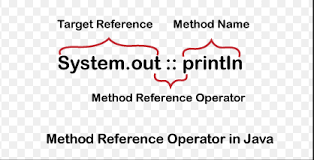
- Method References are shortcuts to existing methods
Now we’re going to explore thejava.util.function package – A powerful toolkit that provides 40+ specialized, ready-to-use interfaces for common programming tasks.
Understanding the java.util.function Package
The java.util.function package has many interfaces, more than 40, and understanding them all is very difficult. But there’s a method I always use: divide and conquer.
If you group its interfaces into a few clear categories it will be easy:
Common Functional Interfaces
This group contains the four main interfaces of the package. If you understand the concept behind these four interfaces, you will easily understand the others. Each one has a single job:
- Function<T, R> — Transforms a value of type T into a value of type R
- Consumer<T> — Receives a value of type T and does something with it (no return)
- Supplier<T> — Takes nothing and returns a value of type T
- Predicate<T> — Receives a value of type T and returns a boolean (true or false)
1. Function<T, R> Interface — (Transforms)
The Function<T, R> interface represents a function that accepts one argument and produces a result. The T is the type of the input and R is the type of the result. Think of it as a transformation machine: you put something in, and you get something different out.
package java.util.function;

import java.util.Objects;

@FunctionalInterface
public interface Function<T, R> {

    R apply(T t);

    default <V> Function<V, R> compose(Function<? super V, ? extends T> before) {
        Objects.requireNonNull(before);
        return (V v) -> apply(before.apply(v));
    }

    default <V> Function<T, V> andThen(Function<? super R, ? extends V> after) {
        Objects.requireNonNull(after);
        return (T t) -> after.apply(apply(t));
    }

    static <T> Function<T, T> identity() {
        return t -> t;
    }
}
This interface has the following methods:
R apply(T t)– The abstract method of the interface is responsible for transforming the parameter T into a result R.default <V> Function<V, R> compose(Function<? super V, ? extends T> before)– This default method receives a function and executes it before theapplymethod.default <V> Function<T, V> andThen(Function<? super R, ? extends V> after)– This default method receives a function and executes it after theapplymethod.static <T> Function<T, T> identity()– This static method returns a function that always returns its input argument unchanged.
Here is a practical example:
import java.util.function.Function;

/**
 * Practical example of Function<T, R>
 * Demonstrating apply(), andThen() and compose()
 */
public class FunctionExample {
    public static void main(String[] args) {

        // A function that converts a String to its length (String -> Integer)
        Function<String, Integer> getLength = s -> s.length();

        // A function that doubles an integer (Integer -> Integer)
        Function<Integer, Integer> doubleIt = n -> n * 2;

        // apply(): basic transformation
        System.out.println(getLength.apply("Hello"));        // 5

        // andThen(): getLength first, then doubleIt
        Function<String, Integer> getLengthThenDouble = getLength.andThen(doubleIt);
        System.out.println(getLengthThenDouble.apply("Hello")); // 10

        // compose(): doubleIt first, then... wait, types must match
        // Here: tripleIt runs before doubleIt
        Function<Integer, Integer> tripleIt = n -> n * 3;
        Function<Integer, Integer> tripleAndDouble = doubleIt.compose(tripleIt);
        System.out.println(tripleAndDouble.apply(5)); // (5 * 3) * 2 = 30
    }
}
2. Consumer<T> Interface — (Uses)
The Consumer<T> interface represents an operation that accepts a single input and returns no result. Unlike Function, it doesn’t transform — it consumes. Think of it as a printer: you hand it something, it does its job, and nothing comes back.
package java.util.function;

import java.util.Objects;

@FunctionalInterface
public interface Consumer<T> {

    void accept(T t);

    default Consumer<T> andThen(Consumer<? super T> after) {
        Objects.requireNonNull(after);
        return (T t) -> { accept(t); after.accept(t); };
    }
}
This interface has the following methods:
void accept(T t)– The abstract method. Receives the element T and performs the operation. It returns nothing.default Consumer<T> andThen(Consumer<? super T> after)– Chains two consumers together. The current consumer runs first, then theafterconsumer runs on the same element. Both consumers receive the same input.
Here is a practical example:
import java.util.function.Consumer;
import java.util.List;

/**
 * Practical example of Consumer<T>
 * Demonstrating accept() and andThen()
 */
public class ConsumerExample {
    public static void main(String[] args) {

        // A Consumer that prints a name
        Consumer<String> printName = name -> System.out.println("Name: " + name);

        // A Consumer that prints the name in uppercase
        Consumer<String> printUpper = name -> System.out.println("Upper: " + name.toUpperCase());

        // accept(): basic usage
        printName.accept("Evandro"); // Name: Evandro

        // andThen(): chain two consumers — both run on the same input
        Consumer<String> printBoth = printName.andThen(printUpper);
        printBoth.accept("Evandro");
        // Name: Evandro
        // Upper: EVANDRO

        // Real-world usage: iterating a list with forEach
        List<String> languages = List.of("Java", "Python", "Go");
        languages.forEach(printName); // forEach accepts a Consumer
    }
}
3. Supplier<T> Interface — (Creates)
The Supplier<T> is the exact opposite of Consumer. It takes nothing and returns something. Think of it as a factory or a vending machine: you press the button, you get a value back, without giving anything.
package java.util.function;

@FunctionalInterface
public interface Supplier<T> {

    T get();
}
This interface has only one method:
T get()– The abstract method. Takes no arguments and returns a value of type T. This is the simplest interface in the package.
Here is a practical example:
import java.util.function.Supplier;
import java.time.LocalDate;
import java.util.UUID;

/**
 * Practical example of Supplier<T>
 * Demonstrating get() with different return types
 */
public class SupplierExample {
    public static void main(String[] args) {

        // A Supplier that returns a greeting message
        Supplier<String> greeting = () -> "Hello, Functional World!";

        // A Supplier using a Method Reference — no arguments, returns a value
        Supplier<LocalDate> today = LocalDate::now;

        // A Supplier that generates a unique ID each time it is called
        Supplier<String> idGenerator = () -> UUID.randomUUID().toString();

        System.out.println(greeting.get());           // Hello, Functional World!
        System.out.println("Today is: " + today.get()); // Today is: 2026-07-16
        System.out.println("ID: " + idGenerator.get()); // ID: a4f3c2d1-...
        System.out.println("ID: " + idGenerator.get()); // ID: b9e1a3f2-... (different each time)
    }
}
4. Predicate<T> Interface — (Tests)
The Predicate<T> is the interface for conditions and validations. It receives a value and returns a boolean — true or false. Think of it as a filter or a question: you pass something in, and it answers “yes” or “no.”
package java.util.function;

import java.util.Objects;

@FunctionalInterface
public interface Predicate<T> {

    boolean test(T t);

    default Predicate<T> and(Predicate<? super T> other) {
        Objects.requireNonNull(other);
        return (t) -> test(t) && other.test(t);
    }

    default Predicate<T> negate() {
        return (t) -> !test(t);
    }

    default Predicate<T> or(Predicate<? super T> other) {
        Objects.requireNonNull(other);
        return (t) -> test(t) || other.test(t);
    }

    static <T> Predicate<T> not(Predicate<? super T> target) {
        Objects.requireNonNull(target);
        return (Predicate<T>) target.negate();
    }
}
This interface has the following methods:
boolean test(T t)– The abstract method. Tests whether the given argument satisfies the condition and returns true or false.default Predicate<T> and(Predicate<? super T> other)– Combines two predicates with AND logic. Returns true only if both predicates return true.default Predicate<T> negate()– Returns the logical negation of this predicate. If the original returns true, this returns false, and vice versa.default Predicate<T> or(Predicate<? super T> other)– Combines two predicates with OR logic. Returns true if at least one predicate returns true.static <T> Predicate<T> not(Predicate<? super T> target)– A static convenience method that negates the given predicate. Useful for method references likePredicate.not(String::isBlank).
Here is a practical example:
import java.util.function.Predicate;
import java.util.List;

/**
 * Practical example of Predicate<T>
 * Demonstrating test(), and(), negate(), or(), and Predicate.not()
 */
public class PredicateExample {
    public static void main(String[] args) {

        Predicate<Integer> isPositive = n -> n > 0;
        Predicate<Integer> isEven = n -> n % 2 == 0;

        List<Integer> numbers = List.of(-4, -1, 0, 3, 6, 7, 10);

        // test(): basic usage
        System.out.println(isPositive.test(5));   // true
        System.out.println(isPositive.test(-3));  // false

        // and(): both conditions must be true
        System.out.println("Positive AND even:");
        numbers.stream()
               .filter(isPositive.and(isEven))
               .forEach(System.out::println); // 6, 10

        // negate(): inverts the condition
        System.out.println("NOT positive (zero or negative):");
        numbers.stream()
               .filter(isPositive.negate())
               .forEach(System.out::println); // -4, -1, 0

        // or(): at least one condition must be true
        System.out.println("Positive OR even:");
        numbers.stream()
               .filter(isPositive.or(isEven))
               .forEach(System.out::println); // -4, 3, 6, 7, 10

        // Predicate.not(): great with method references
        List<String> names = List.of("Java", "", "  ", "Spring", "");
        System.out.println("Non-blank names:");
        names.stream()
             .filter(Predicate.not(String::isBlank))
             .forEach(System.out::println); // Java, Spring
    }
}
Putting It All Together
Now that you know each interface individually, here’s the best way to remember all four. Each one answers a different question:
| Interface | Input | Output | Abstract Method | Think of it as… |
|---|---|---|---|---|
Function<T, R> | T | R | apply(T t) | Transforms |
Consumer<T> | T | void | accept(T t) | Uses |
Supplier<T> | none | T | get() | Creates |
Predicate<T> | T | boolean | test(T t) | Tests |
Now let’s combine all four in a single, realistic example:
import java.util.function.*;
import java.util.List;

/**
 * Real-world example combining all four core functional interfaces.
 * Scenario: process a product catalog — filter, transform, and display.
 */
public class FunctionalToolkitDemo {

    record Product(String name, double price, boolean inStock) {}

    public static void main(String[] args) {

        List<Product> catalog = List.of(
            new Product("Java Book",   49.99, true),
            new Product("Keyboard",   129.99, false),
            new Product("Mouse",       39.99, true),
            new Product("Monitor",    299.99, true)
        );

        // Supplier: provides the header message (creates something from nothing)
        Supplier<String> header = () -> "=== Available Products Under $100 ===";

        // Predicate: tests if a product is available AND affordable
        Predicate<Product> isAvailable  = p -> p.inStock();
        Predicate<Product> isAffordable = p -> p.price() < 100;

        // Function: transforms a Product into a formatted String
        Function<Product, String> format = p ->
            String.format("%-15s $%.2f", p.name(), p.price());

        // Consumer: prints each formatted string with a bullet point
        Consumer<String> printItem = item -> System.out.println("  → " + item);

        // Putting it all together
        System.out.println(header.get()); // Supplier in action

        catalog.stream()
               .filter(isAvailable.and(isAffordable)) // Predicate in action
               .map(format)                            // Function in action
               .forEach(printItem);                   // Consumer in action
    }
}

// Output:
// === Available Products Under $100 ===
//   → Java Book       $49.99
//   → Mouse           $39.99
What’s Next? The Stream API
Throughout this post, you’ve seen all four core functional interfaces working together. But notice something: in the final example, we used .stream(), .filter(), .map(), and .forEach().
That’s not a coincidence. The Stream API is the place where Function, Consumer, Supplier, and Predicate truly shine:
.filter()accepts a Predicate.map()accepts a Function.forEach()accepts a Consumer.generate()accepts a Supplier
In the next post, we’ll explore the Stream API in detail — and you’ll see exactly how these functional interfaces become the engine of powerful, declarative data processing pipelines.
Conclusion
The java.util.function package gives you four essential tools that cover the vast majority of your functional programming needs. Once you internalize the mental model, choosing the right interface becomes instinctive:
- Need to transform a value? Use
Function<T, R>. - Need to do something with a value but not return anything? Use
Consumer<T>. - Need to produce a value without receiving anything? Use
Supplier<T>. - Need to test a condition? Use
Predicate<T>.
Master these four, and the rest of the java.util.function package — BiFunction, UnaryOperator, BinaryOperator, and all the primitive specializations — will make complete sense. They are all just variations of these same four ideas.